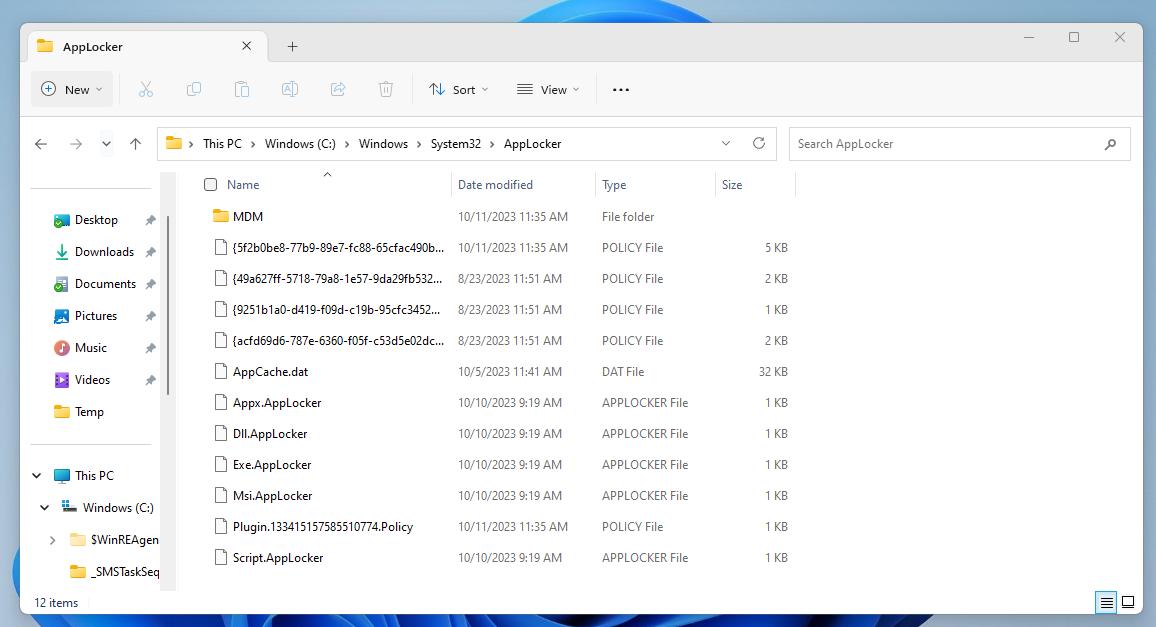
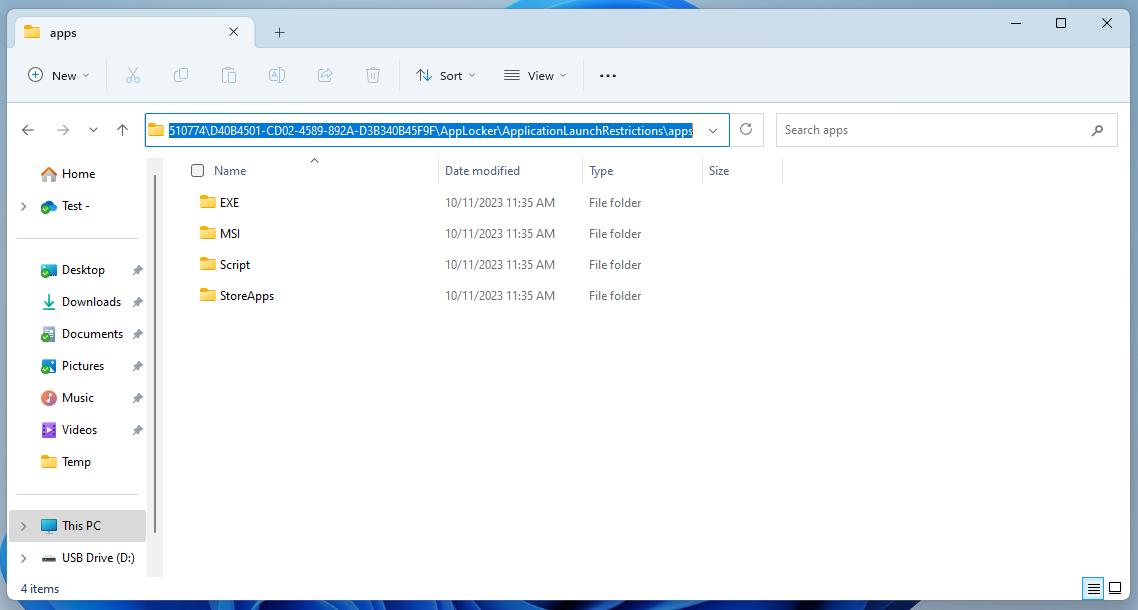
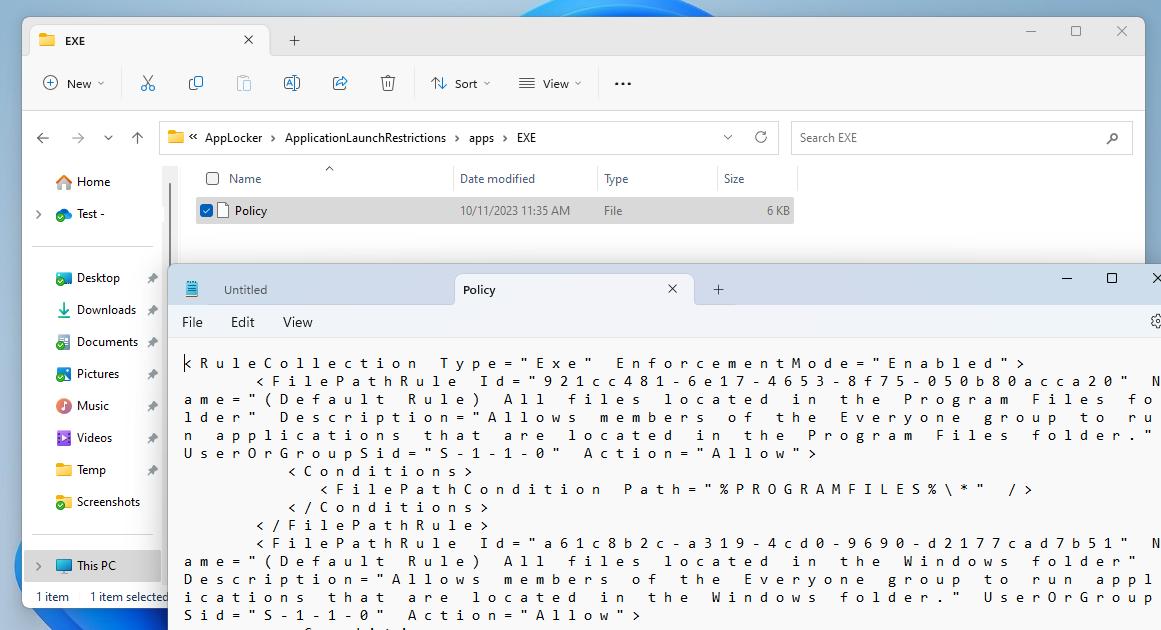
Without prior experience with AppLocker policies, one may assume launching gpedit.msc would show the AppLocker policies pushed out via Intune. That is not the case. To find the policy files take a look in C:\Windows\System32\AppLocker. Notice files with AppLocker file extension and the folder named “MDM”. Digging through the folder will reveal the policies pushed from Intune. The “Policy” files contains the configuration from the CSP.
Category: Uncategorized
SID 500 LAPS
This isn’t a rant, but more so me explaining why I’ve chosen this route in basic English. Before we began assigning random passwords to our Administrator accounts using solutions like Local Administrator Password Solution (LAPS), it was encouraged to disable the built-in Administrator account. Now that we have such solutions that are easy to use and more secure, should we still disable the built-in Administrator account?
The latest [Windows] LAPS has been a hit. It’s been easy to use since it’s baked into the latest versions of the Windows operating systems and able to work with Entra and Active Directory joined devices. The hardest decision most have is whether to use the built-in Administrator account or create another account. This has been the debate, because we’ve been told to not use the built-in Administrator account forever. Should we still be doing this?
What’s really the functional benefit now? I can’t really argue why we should continue with this practice. With Windows LAPS you are able use secure passwords that are unique to each machine. One feature of Windows LAPS is the ability to have the password change automatically after its used.
When using a custom Administrator account, it is tracked by the name. If the account is renamed Windows LAPS can no longer manage it. One of the security risks with using the built-in Administrator account was it’s well known SID. But this SID is also how Windows LAPS tracks the account meaning if the account was renamed LAPS is able to continue managing it. If you are using Windows LAPS you are not concerned
Windows LAPS should be thought of as a disaster recovery solution. Technicians should have another account they use for day-to-day administration. Renaming the built-in Administrator account has no effect on Windows LAPS ability to manage the password. The built-in Administrator account also can’t be locked out. Windows LAPS can also manage the account even if it’s disabled, so if you want LAPS to manage the password but leave it disabled until you need it, that is an option.
So…
Is it insecure? Should we be updating these security baselines? Does this topic require reevaluating?
No Toggling Teams
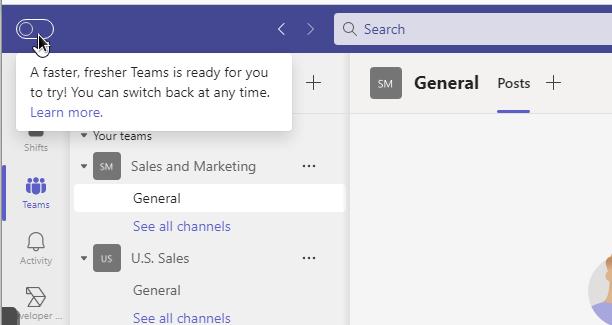
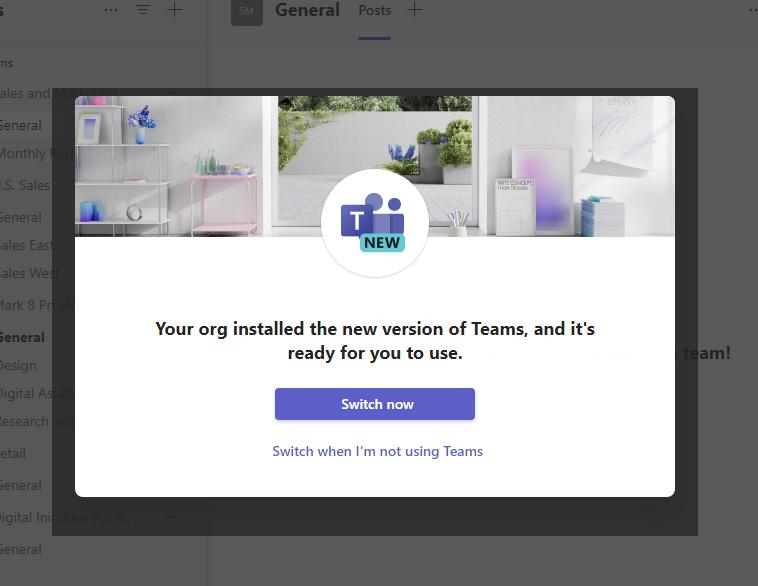
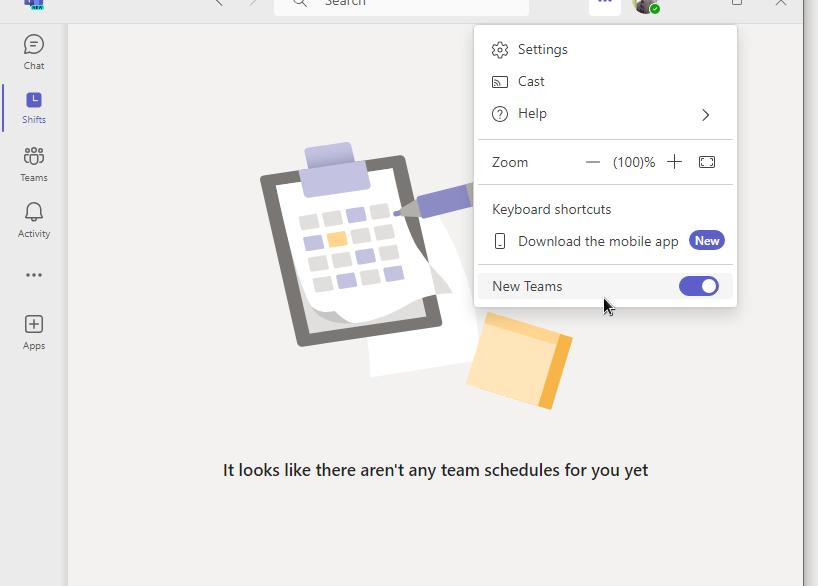
The new, highly optimized Microsoft Teams is available. Want to test it out? Just toggle the “Try the new Teams” switch at the top of Teams. Is it missing?
Try this.
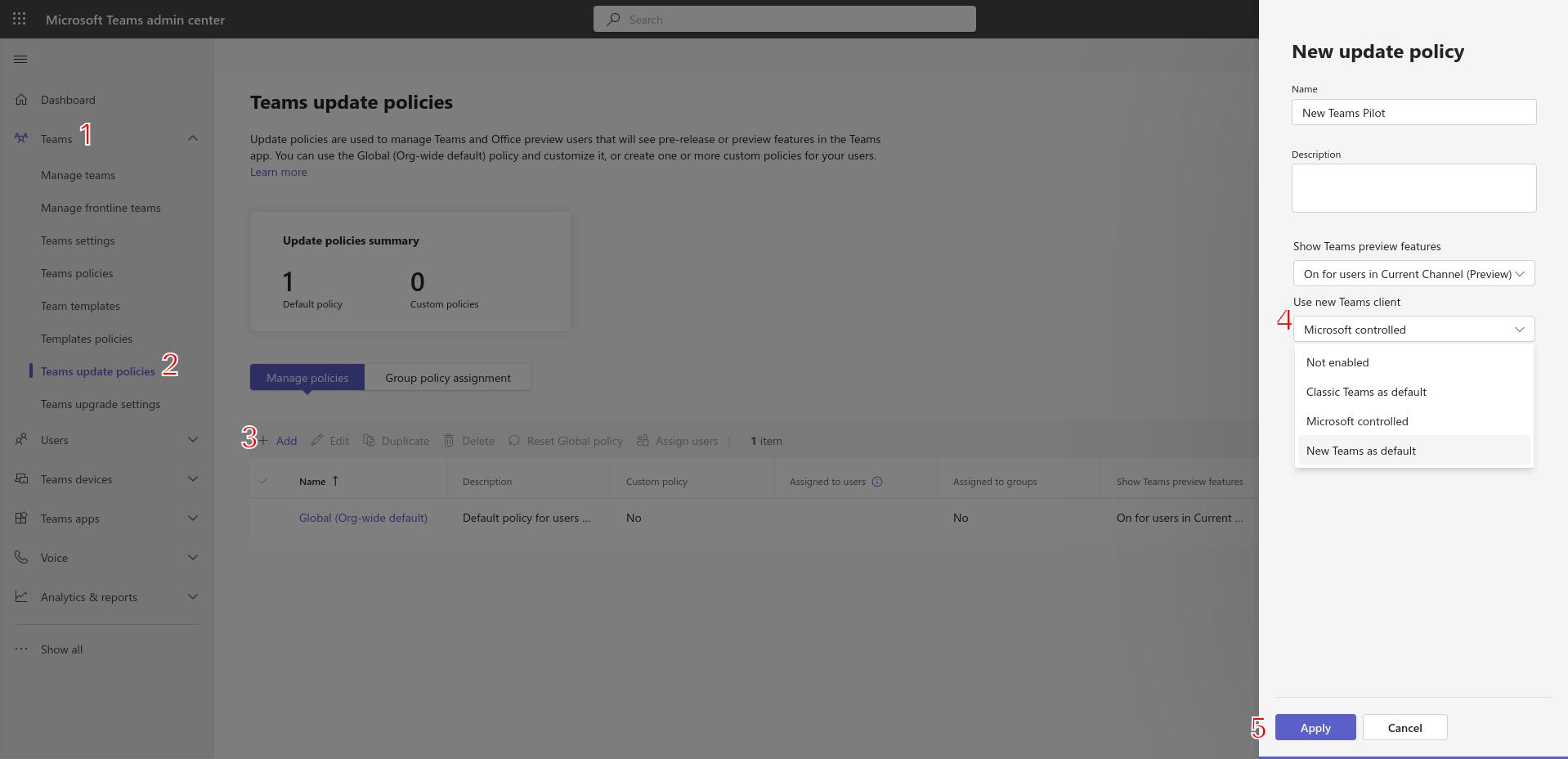
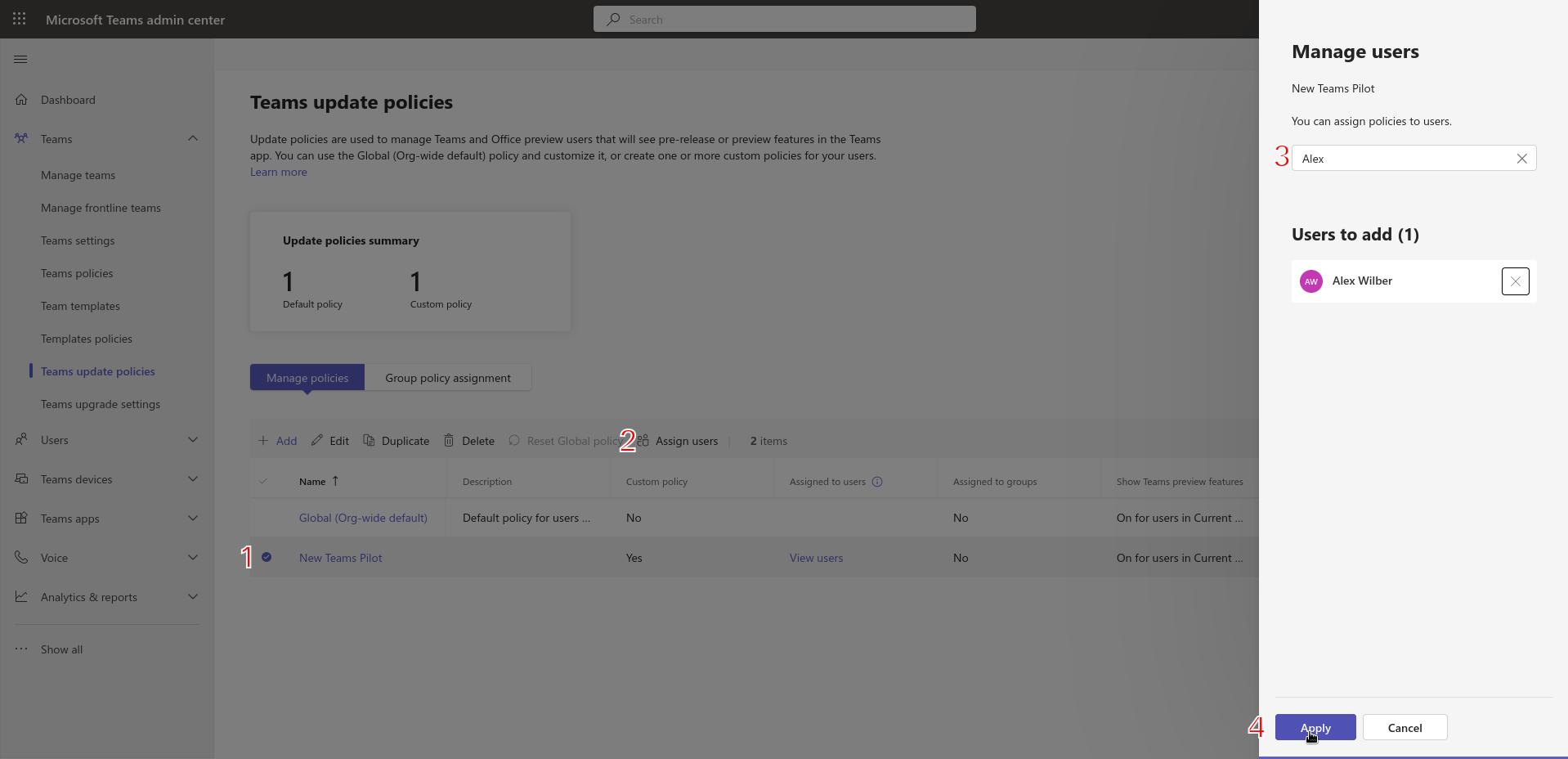
- Head over to Teams Admin ( https://admin.teams.microsoft.com )
- Under Teams, click Teams Update Policies.
- Create a new Teams update policy by clicking Add
- Give the policy a name, description, and select the appropriate preview feature availability. For “Use New Teams client” option, select either “Classic Teams as default” OR New Teams as default. Both of these options allow the user to switch between Classic Teams and New Teams. The Microsoft controlled option allows Microsoft to decide whether the “User New Teams client” toggle switch is displayed (based on readiness).

- After clicking Apply, add users to the policy by selecting the new policy and clicking Assign users. I previously assigned the policy to a group, but did not see the toggle. Adding my users directly to the policy did the trick.
After some time, the toggle switch to try thee new Teams will be visible.


Whats your lab?
New endpoint administrators and those interested into getting there hands dirty often ask about home lab setups. Some feel the need to use what the ‘MVPs’ use; VMWare, NUCs, Hyper-V, etc. My opinion… use what you have, but remember the more equipment you use that is similar to your work environment, the more knowledge you’ll walk away with.
My lab set up is an old Lenovo ThinkServer TS140. I’ve had this thing for almost 10 years now. It has an old E3-1245v3 processor, 32GB of RAM, and a couple TB SSDs.
Most of my previous workloads have moved to a NAS over the years since docker has gotten nice, so now its primarily a lab server.
My hypervisor of choice is ProxMox VE. I’m a Linux guy and have been so since the late 2000’s. I officially stopped dual booting in the early 2010’s and stopped distro hopping around 2013. Fedora (Gnome) is where I landed if interested. The only non-Linux machines I use are the lab VMs and an iPad for reading. I consider my Pixel phone Linux :-).