
The release of Sept 2023 ADK was met with some backlash regarding the removal of VB script support. Although powershell has taken over, VB scripts are still used by many during OS deployment. In my environment, the ADK broke my hta configs for Lenovo BIOS configurations, MDT integrated gather step (I’ve been planning to move to powershell for this anyway), and bitlocker. Yes Bitlocker..?
Failed to run command line ‘X: \windows\system32\manage-bde. exe -on C: -used’ with exit code 2147942402
(Install Operating System) has failed and the execution has been aborted. An action failed. Error 0x80004004
With SCCM 2211 and ADK 25398 I ran into the bitlocker pre-provision step failing. Giving me an exit code 0x80004004.
The workaround Microsoft has posted on the MS Learn page dif not correct the issue. This seems to be a different bitlocker issue. In my case Bitlocker doesn’t seem to have issue taking ownership of the TPM.
This workaround however is working:
1. Disable your current Bitlocker Pre-provision step.
2. Create a new group
3. Add 3 new run command steps.
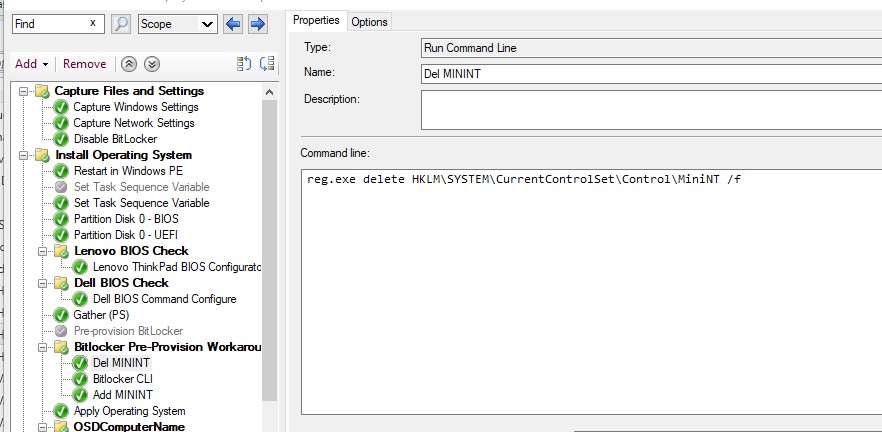
4. The first new run command step should delete the registry key. reg delete HKLM\SYSTEM\ CurrentControlSet\Control\MiniNT /f
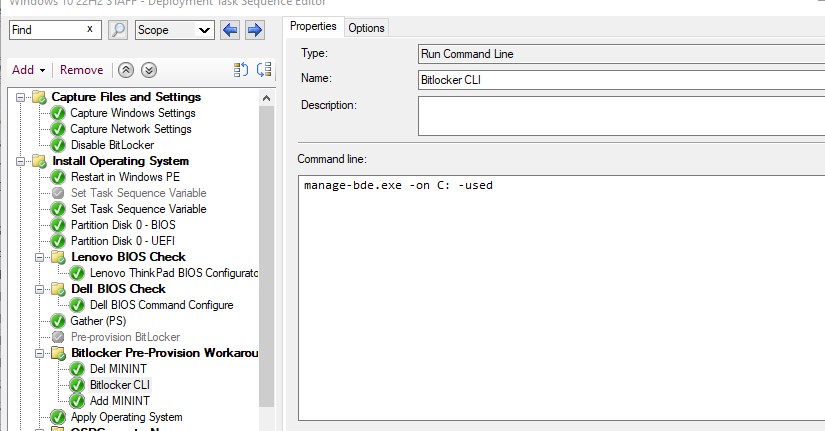
5. The second new run command step should pre-provision Bitlocker. Customize the command to match your encryption requirement.
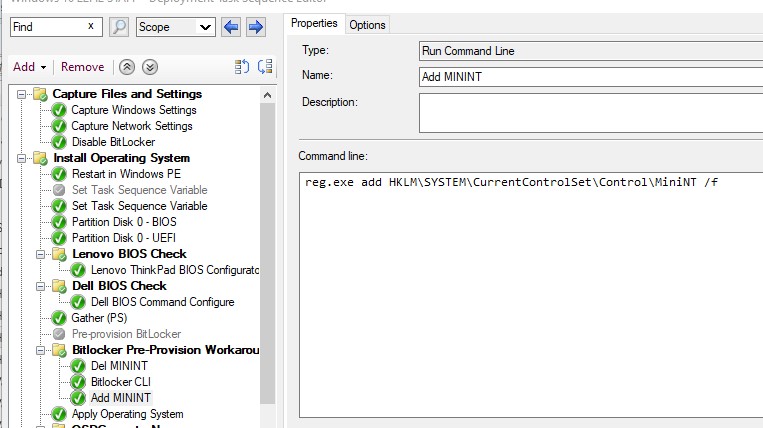
6. The third run command step will recreate the registry key we deleted in the previous step. reg.exe add HKLM\SYSTEM\CurrentControlSet\Control\MiniNT /f
The MiniNT key is interesting. When present it basically kicks Windows into WinPE mode. What we’re doing is taking the OS out of WinPE mode temporarily, running the expected Bitlocker command, and throwing the machine back into WinPE mode. You may ask, “why not use the built-in pre-provision step in-between the registry edits?” When the pre-provision step is executed it will determine it’s not in WinPE mode, and will execute a different command which will fail.